Boards built for music
Organise tracks in scenes — one per alias, label or client — and drag them through your own stages, from Idea to Released.
For producers with unfinished tracks
Keep your songs, checklists and mix notes together. Open your board, choose what needs attention, and make your next studio session count.
Free for 3 tracks · No card required
Your next studio session
One track. Three clear next steps.
Start with the next action, not the whole release.
Interactive example · No account needed
One card per track, one board per project. No spreadsheets, no sticky notes, no forgotten demos.
Organise tracks in scenes — one per alias, label or client — and drag them through your own stages, from Idea to Released.
Every track carries its own to-do list. Kick, bass, arrangement pass — tick items off and watch the progress bar fill.
Park samples, MIDI files and voice memos directly on the track they belong to. Nothing gets lost in your downloads folder.
"Lead too quiet at 2:34." Pin feedback to an exact moment in the track and resolve notes one by one.
See every track's journey through your pipeline at a glance, and spot the ones that have been resting too long.
Average time to finish, completion rate, bottleneck columns and your daily momentum streak — measured from your real workflow.
Organise tracks in scenes — one per alias, label or client — and drag them through your own stages, from Idea to Released.
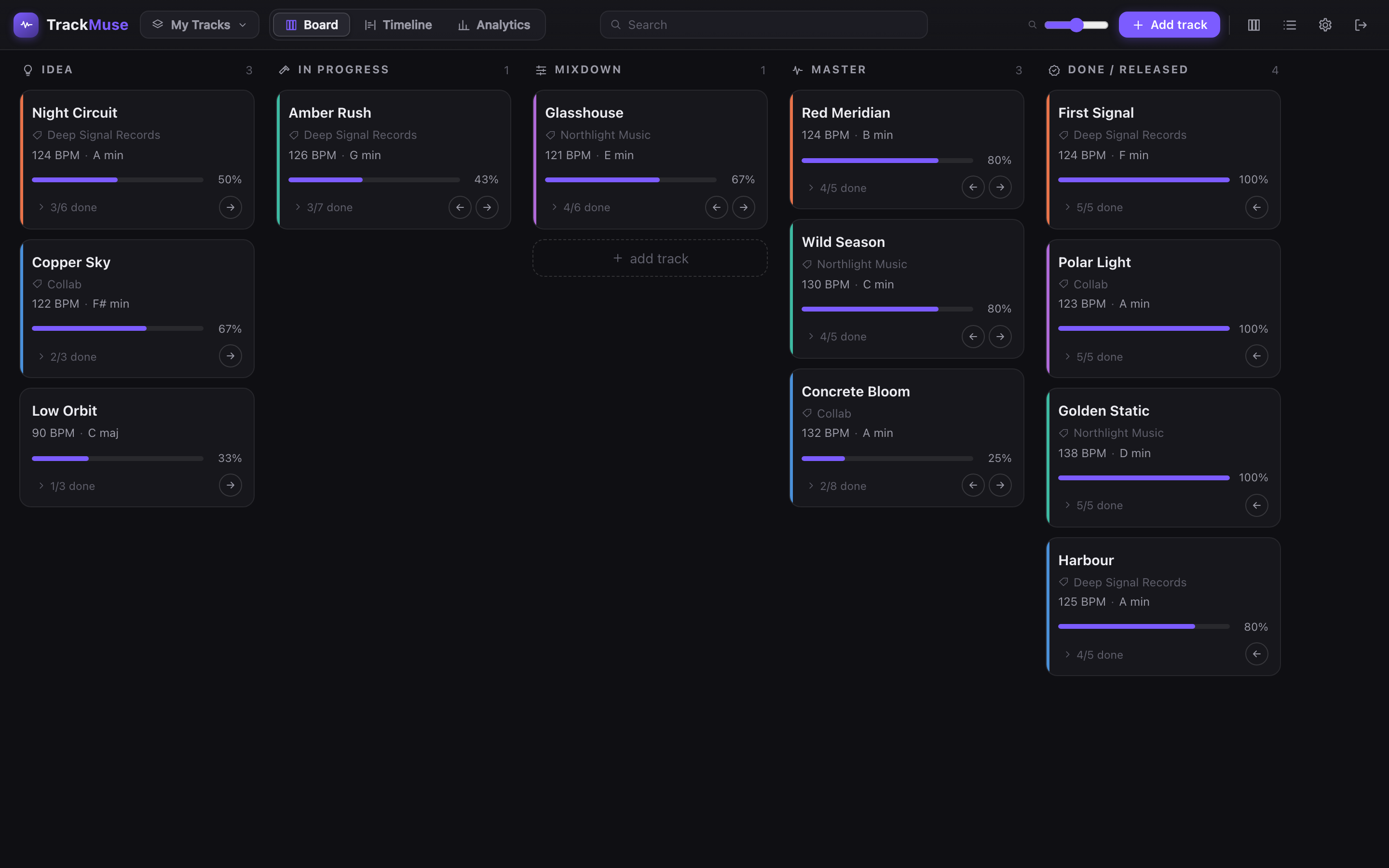
BPM, key, label, session notes, to-dos, parked ideas, timestamped fixes and logged feedback — everything about a track in one panel.
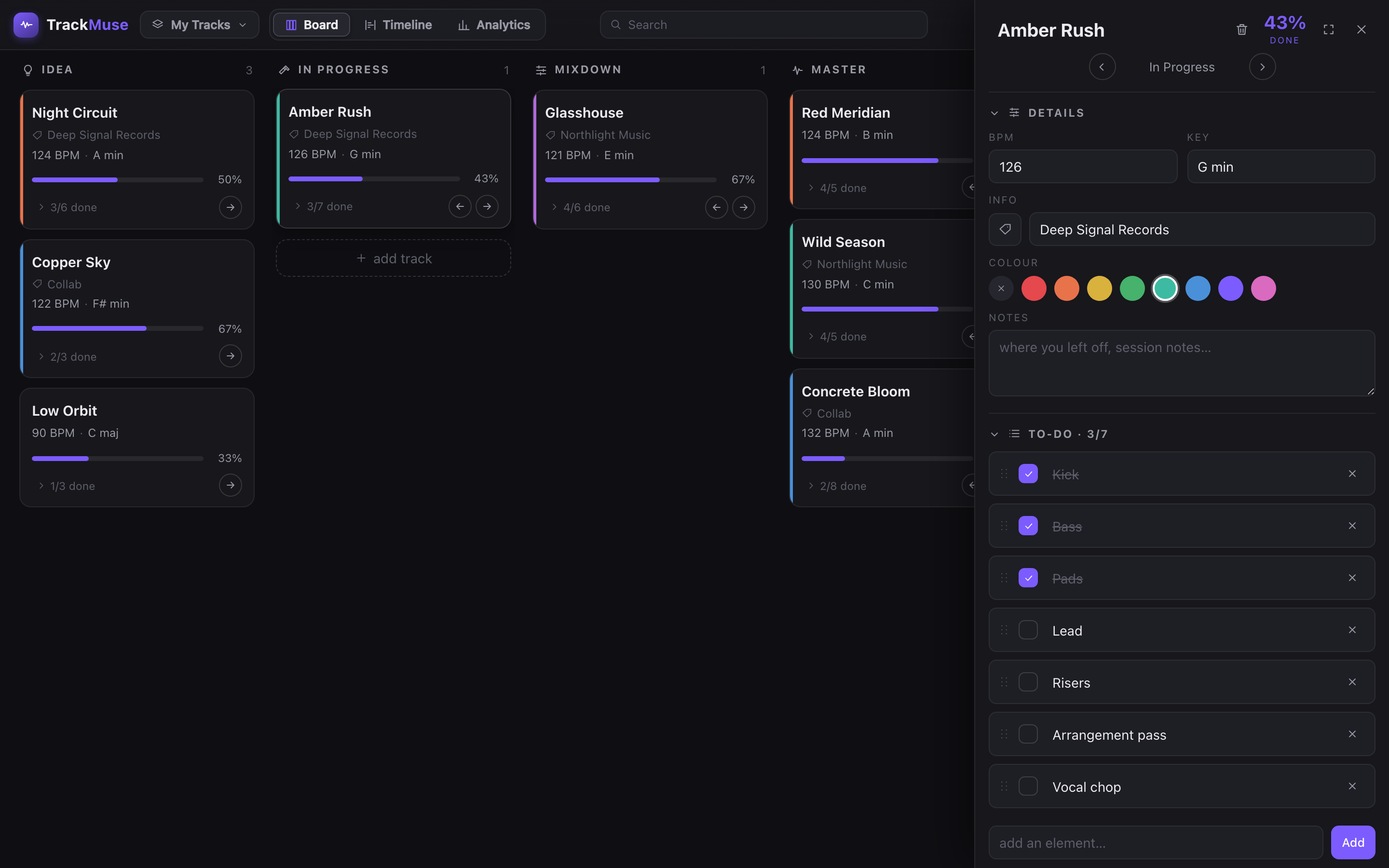
The analytics view shows how long tracks sit in each column, what you finish per month, and the streaks that keep you moving.
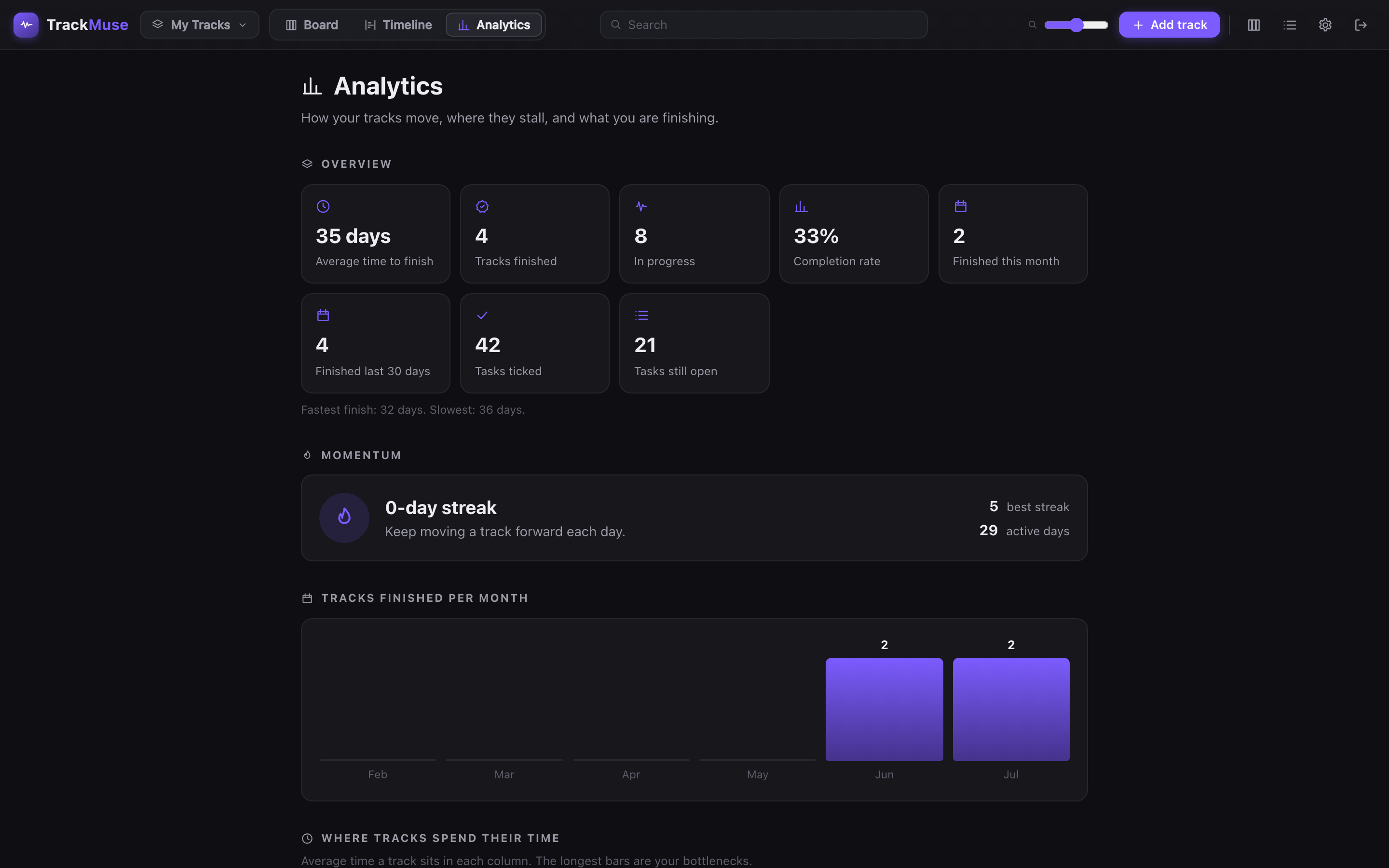
The timeline lays every track out by stage and progress, so a quick scroll tells you what deserves the next studio session.
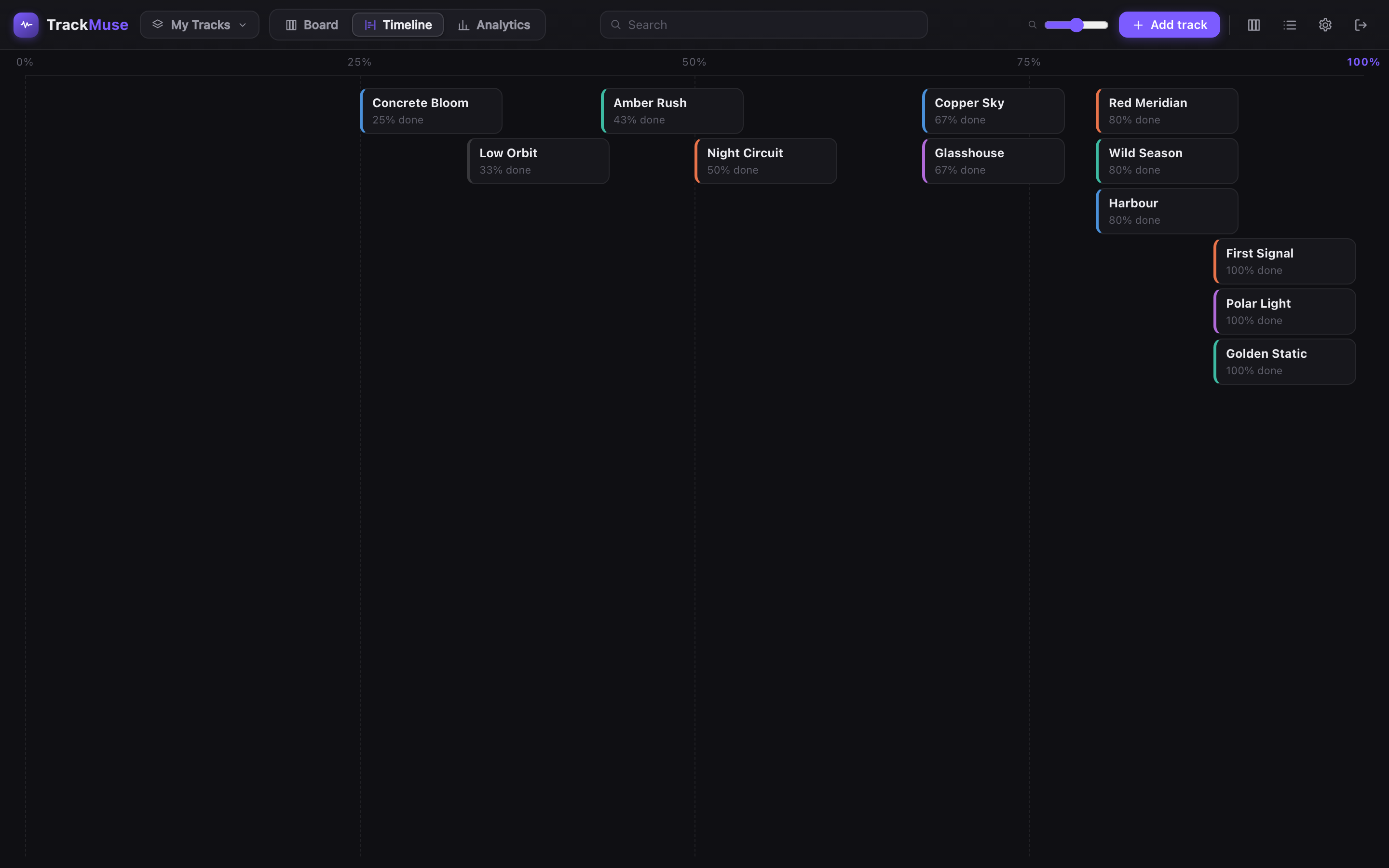
Start free, no card required. Upgrade when your pipeline outgrows the free board.
$0
free forever, no card required
$4.99/ month
or $39/year — save 35%
Practical guides and checklists. Read them, save them, or bring them into your board.
Organize songs from idea to release with a practical production board, clear next actions and a reusable checklist.
Read the guide →Use this free music production checklist to plan arrangement, editing and mix review without losing your next step.
Read the guide →Sort your unfinished tracks into a workable backlog, choose one priority and leave a clear next step for your studio session.
Read the guide →Capture clear mix notes, prioritize revisions and review changes with a free timestamped-feedback checklist.
Read the guide →Plan an EP with one card per song, a shared production checklist and a weekly review of what still needs work.
Read the guide →No. TrackMuse organizes your work alongside your DAW. Add a track name, tasks and notes; upload an idea only when it helps.
Use one scene, 3 of your own tracks and 50 MB of Idea Drop storage. Your example track does not use a track slot. No card required.
Upgrade when you need more scenes or tracks, more Idea Drop storage, or analytics. Pro is $4.99/month or $39/year.
Create a free account, add your works-in-progress, and finish them one column at a time.
Start free with TrackMuse